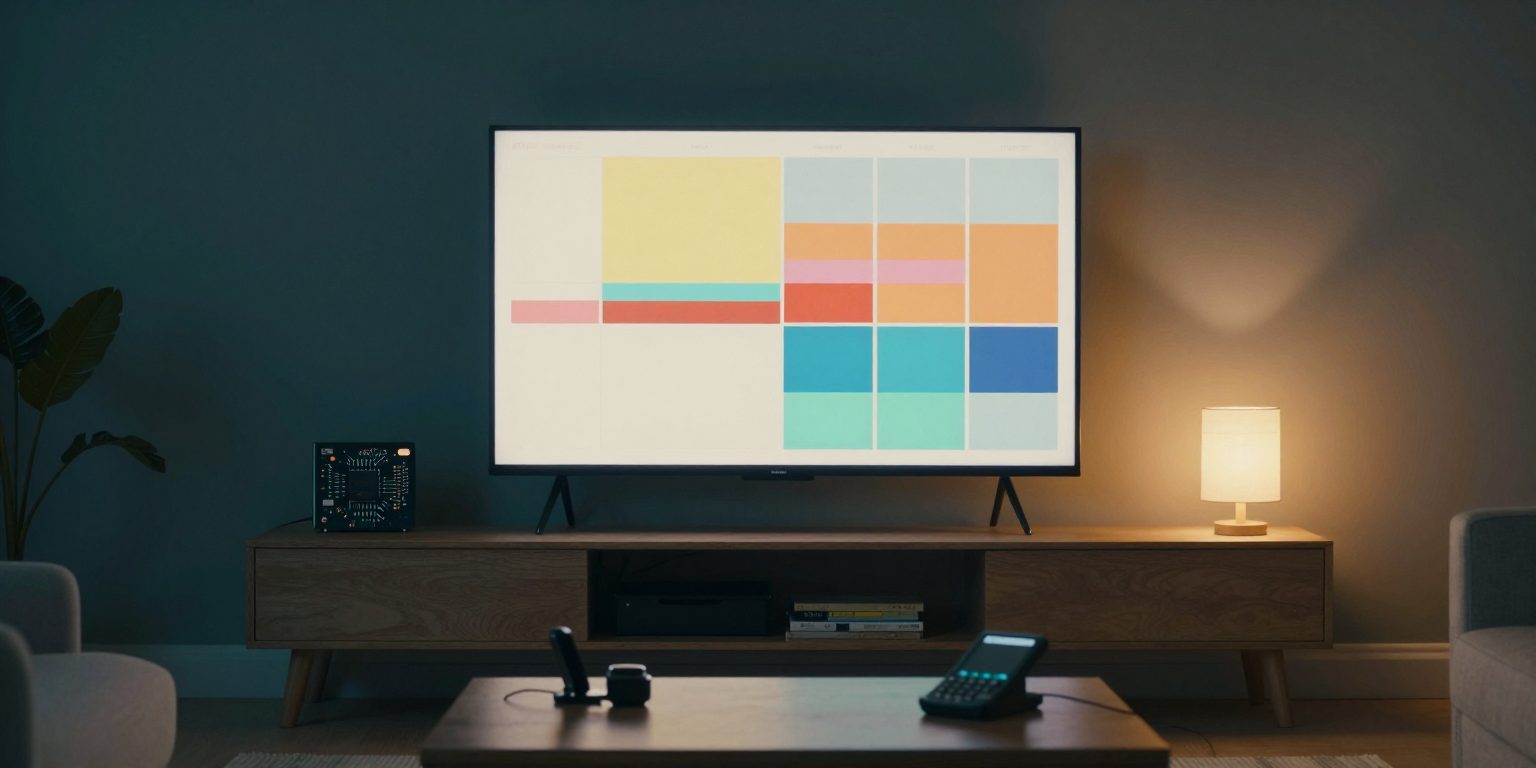
I wanted one calendar that my wife and I could both see: on both our phones, and on one screen in the house that shows the day without anyone opening anything.
I had the same rule as for texting my own AI: it lives on my own hardware, and only our own devices can reach it. So I asked Claude Code to build it, and a Raspberry Pi to put it on the TV.
Two Days, Twenty-Two Commits
The first commit was the whole back end: events, repeat rules, sharing, email sync and tests. Then came review. A security reviewer agent read the code in several rounds, and every finding was fixed before the next one. By the end there were 145 tests, and a script that opens every screen at every size, in light and dark, and fails on low contrast, clipped text or a button too small to tap.
Repeat rules took more care than I expected. “Every Tuesday and Thursday until December 15”, “the last Friday of the month”, and the question every calendar has to ask when you change one meeting in a series: this event, this and following, or all events?
Sharing It With My Wife
Sharing works with links, one per person. Each link says what that person can do: see titles and places, or only “Busy”; leave comments; block time of their own. A link can expire, and turning it off works at once. The link is shown one time when it is made, and the server keeps only a hash of it.
My wife uses a link that sees the full details. Time blocked through a shared link shows up on my calendar hatched and labelled with the person’s name, so a plan can be seen before it clashes.
A bug on the Home Screen. A shared link saved to a phone’s Home Screen opened my sign-in page instead of the shared calendar. The app had one manifest for everyone, and it said “start at the front page”. Now each shared link, and the TV’s link, gets its own, so the icon opens the calendar it was saved from.
Invites You Can Trust
Every fifteen minutes the app asks Mail on the Mac for recent messages that look like invites, and reads their calendar parts. The interesting part is not reading them. It is deciding who is allowed to change an event by email, because the “From” line of an email is easy to fake.
So an invite only counts as coming from its sender when the email provider checked it on arrival, and the app reads that check only from the part of the headers the provider itself wrote. A change or a cancellation is accepted only from the person who sent the original invite. Anything it cannot confirm still appears, once, with a yellow “Check this invite” note.
The TV
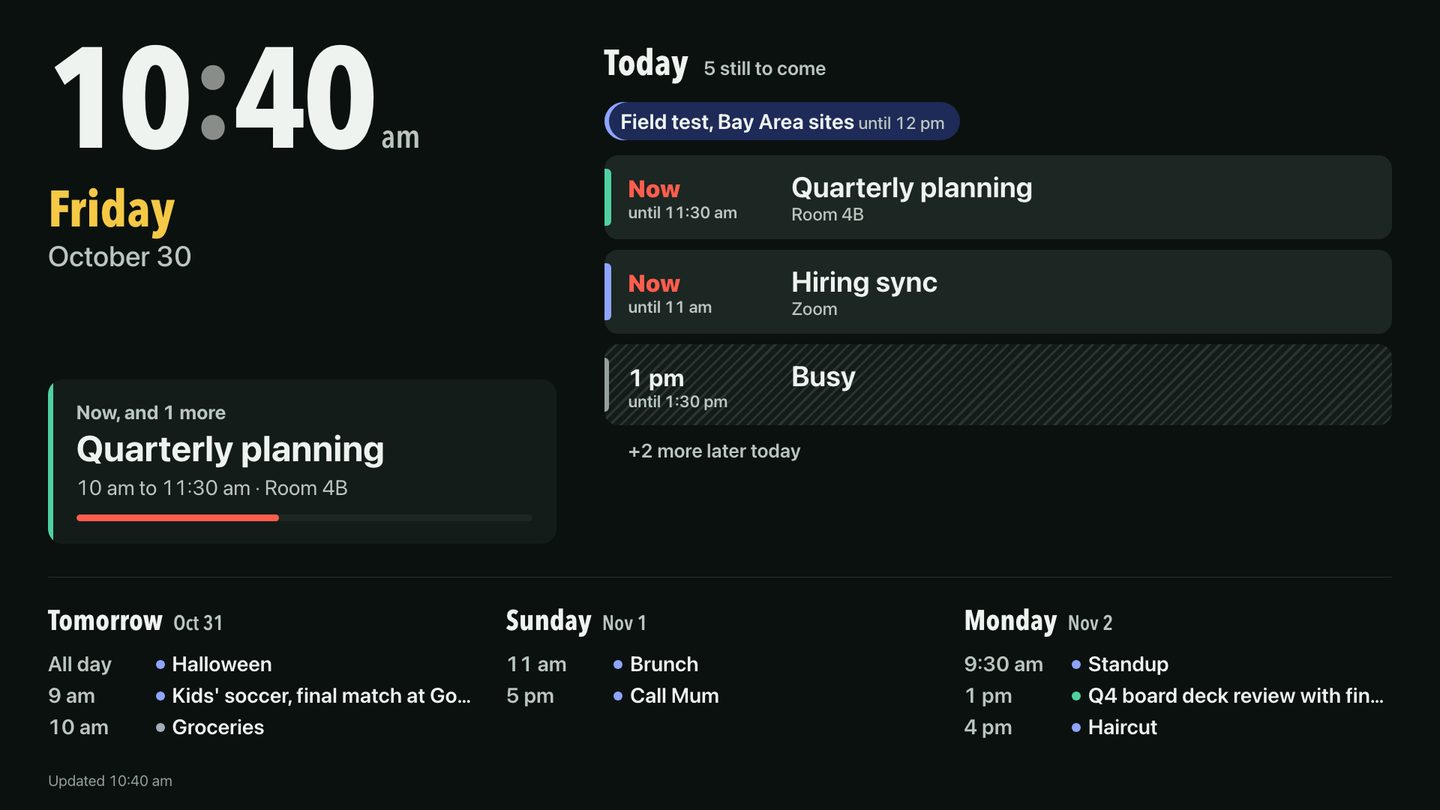
The display is its own page, made for a screen across the room. A large clock and the date. Today, with all-day items first, what is on now and what is next, finished events folded into one line, and “+2 more” when the day is too full. Then the next three days. It refreshes every minute, stays dark, and never needs a touch. On a screen turned on its side it switches to a portrait layout by itself, and a few photos rotate on it between updates.
It opens with its own read-only link, so the TV can show the day but can’t change anything.
The Raspberry Pi
The Pi’s whole job is to open one page and keep it open. That turned out to need a few steps:
- 01It powers on and signs in by itselfSo after a power cut the TV comes back to the calendar with nobody touching it.
- 02It waits for the MacA small script checks the Wi-Fi, the private network and the calendar’s health page first, so the screen never opens on an error.
- 03Chromium opens full screenKiosk mode: no bars, no pop-ups, no “restore pages?”.
- 04If it ever closes, it comes backThe script starts it again five seconds later.
The display link carries a secret, so it never appears in a script or a log. It lives in a file on the Pi that only its own user can read. To change it, I copy the new link on the Mac and run one command: it sends the clipboard to the Pi over SSH and restarts the screen.
The bug that froze the whole Pi. The whole Pi froze. The system log said the SD card was stuck being busy. Chromium writes to its profile and cache all the time, and the card couldn’t keep up. The fix was to give Chromium a profile and cache that live in memory instead, emptied at every boot. The card now has almost nothing to do.
One small one, too: the Pi’s region is set to the UK, which means a 24-hour clock, so the link asks for a 12-hour clock itself.
Keeping It Private
Only our devices. The app listens only on the Mac itself. Our phones and the Pi reach it through Tailscale, my private network, and it is never published to the open internet.
Links, not passwords, for guests. Shared links are long random tokens, stored only as hashes, with their own limits on how often they can be tried. “Sign out everywhere” ends every session at once.
Nothing loaded from elsewhere. No fonts, scripts or styles from other sites. The page only runs what the Mac itself serves.
My AI Can Use It Too
The calendar has an MCP server, so Claude Code and my AI engine can list events, find free time on a day, add an event or block time, the same way I would. “Find me an hour on Thursday” is now a question, not a search.
What’s Next
A proper sign-in for my wife, instead of a link. Testing invites from real email providers, not only the ones the tests describe. And trying the drag-to-move gesture on a real iPad, which so far has only been tested in a browser.
The calendar, the Pi setup and this article were built with Claude Code.