

Part 1 ended in early October. H_AI could chat, see, draw, listen and speak, and it kept every conversation in a notes vault on my Mac. The goal was one sentence: a local AI assistant good enough to replace the outside AI tools I pay for and send my data to.
The goal hasn’t changed. What changed is what I ask it. In October I stopped opening it only to ask questions, and started using it to do small jobs around the house. That needed new tools, a second person, and a better way to add tools without touching the engine every time.
The Month in Short
Things I Ask It Now
The best way to show the change is by example. These are the kinds of requests I make in a normal week. The wording is made up for this page; the tools behind them are real.
A receipt, from a photo
[a photo of a shop receipt]I send the photo in the chat, from the web app or from my phone. A small, fast router sees that it is a receipt, not a question, and sends it straight to my shopping tracker, another small app on the same Mac. A local OCR model reads the items and prices. Nothing is saved until I confirm it, and the same receipt sent twice is caught and refused.
How much did we spend on groceries this month? Has the price of eggs gone up?Weeks later the receipts become answers. The model asks the tracker with tools like shopping_summary and shopping_price_history, and answers from the numbers it gets back, not from memory.
The family calendar
Find us a free hour on Thursday evening. Add a dentist appointment on Tuesday at 3.The calendar I built for us has its own tools: calendar_free finds the gaps, calendar_add makes the event. Reading runs at once. Anything that adds or changes an event shows a card first, with exactly what will be saved, and waits for a tap.
The smart home
Which devices are online? Turn the TV off.A smart-home app on the Mac knows the TV, the Raspberry Pi that runs the calendar screen, and a few SwitchBot devices. The model can list them and ask for an action. The risky actions need a real person to approve them: an API key alone isn’t enough. This part is still being finished.
A long document
[a 40-page PDF] What are the three decisions in this?PDF, Word, PowerPoint, Excel and EPUB files are read on the Mac. Scans go through a small OCR model called GLM-OCR; Arabic pages go to the vision model, which reads Arabic better. A long file is condensed first, so it fits in the model’s memory. Also still being finished.
The Mac itself
How is the Mac doing?The server_status tool reads memory, CPU, GPU and which AI services are up, and the answer comes back in plain words. Next to it, a System panel can free memory or restart a service that stopped, and it is only shown to me.
My coding sessions, from the sofa
[the Claude sessions page, on my phone]I run several Claude Code sessions on the Mac. A page in the Hub shows each one — working, waiting for you, done — with its last lines of output, and lets me answer it. A second page reads the project’s to-do list and can start a job from it.
A Second Person at Home
Part 1 said “for one person”. In October my wife started using it too, mostly through the chat app on her phone, which I wrote about in Texting My Own AI. That turned out to be more work than any tool.
Each sign-in now has its own list of conversations. The model knows who it is talking to. Changing projects, the coding-agent mode and anything that can touch code are mine only. Whether the shared notes vault should be visible to every sign-in is still an open question, written down and waiting for a decision.
The last piece is single sign-on. The calendar, the smart home and the shopping tracker each had their own way in. Now the AI app is the one place with a password, and the other apps let you in through it. The code is built and reviewed, and waiting for me to switch it on.
Tools That Plug In

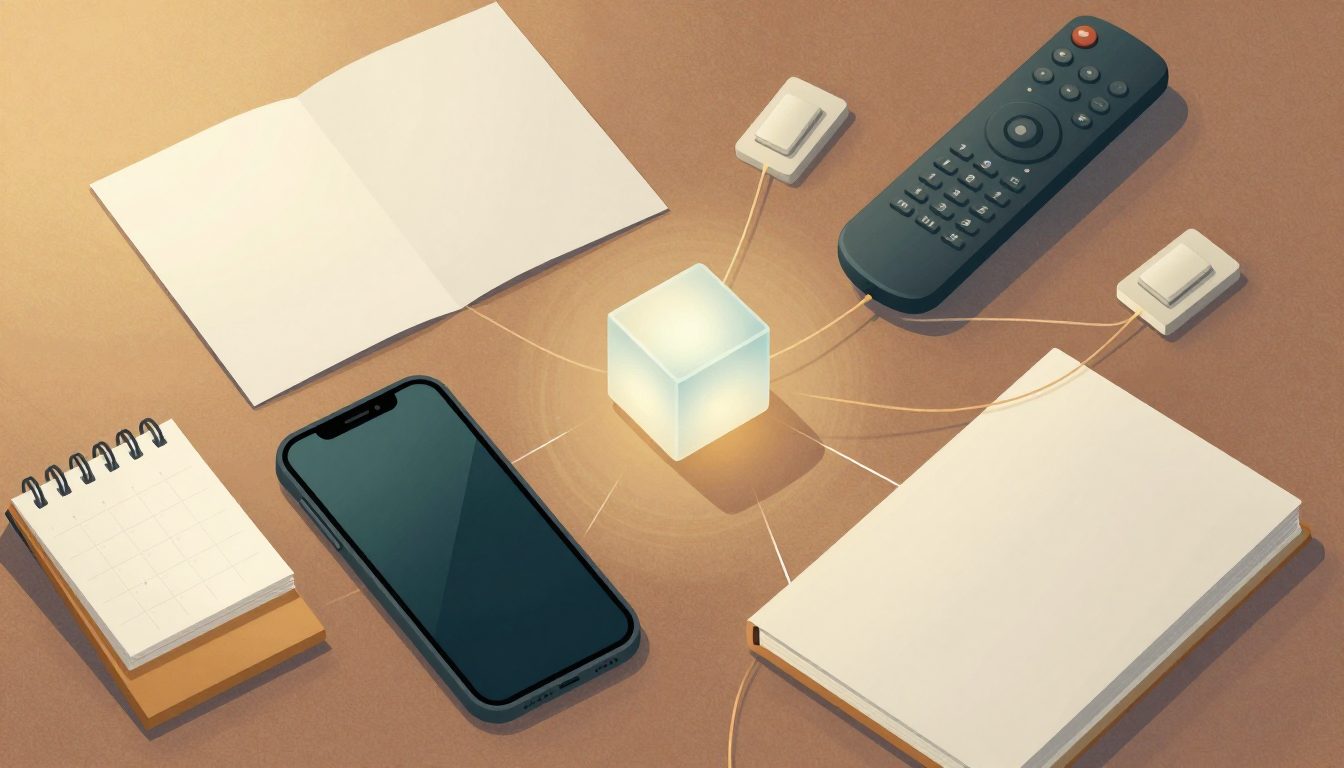
By the end of October the engine had more than fifty tools, and each one was registered in about ten places: which tools run without asking, which ones write, which ones can run side by side, which ones are trusted. Adding a calendar tool meant changing the engine in all of them, and forgetting one was a security bug waiting to happen.
So the plan now is to take the tools out of the engine. Every add-on — the calendar, the smart home, the shopping tracker — ships a small file that describes its tools, and the engine loads it through one plug-in layer. A plug-in can only ask for permissions; my own settings decide what it actually gets.
It goes in phases, and each one has to behave exactly like before. The first step listed every tool in one registry, checked against a snapshot of the old behaviour. The second built the plug-in loader, with nothing switched on. The calendar is the pilot: today’s behaviour was frozen into a test first, so the new version can be compared with it, answer for answer.
One Rule for Memory
The Mac has 64 GB, shared by everything. One evening the voice server was holding 48 GB and had pushed 9 GB into swap, and the whole machine crawled. Nothing had failed. Every part was just keeping its model loaded, in case.
Now there is one rule, enforced in one place: no model starts unless a quarter of the memory is free; image and voice models run one at a time; and whatever loads a model frees it when it is done. Every call in the engine goes through the same gate, and so do my own scripts. The gate also learned not to be a new way to fail: if it has a problem, the chat turn still goes through.
Failures That Look Like Success, Again
Part 1’s lesson was that failures here announce themselves as successes. October found new ones:
Long chats lost their beginning. The engine told the local models to use about 32,000 tokens of memory while it assumed four times that. The model quietly dropped the start of long conversations and answered anyway. The engine now asks each model what it supports, counts real tokens, and summarizes the conversation before it overflows.
The vault forgot turns. After a summary, the next save rewrote the conversation’s note from what was left, and the summarized part was gone. Now the note is rebuilt from the full history, with the summary shown where it happened.
Locking the phone left an answer with no question. If the phone locked in the middle of an answer, the server saved the answer but not the question. The app now survives a lock, and the server sends a small heartbeat during long tool runs, so a dead connection can be told apart from a slow tool.
“Done” when nothing was done. An early version of the receipt flow could say a receipt was saved when it wasn’t. It now reports only what the tracker confirms.
Running It Without Thinking About It
There are now about a dozen services: the engine, the models, the voice server, the search engine, the chat server and its bridge, the calendar, the smart home, the shopping tracker. One command starts, stops and checks all of them, and macOS starts them by itself when I log in. A menu-bar icon shows which ones are up.
The work itself is tracked the same way. Every tool, feature and open task is one line in a single contract file, with an owner and a status. A Claude Code command takes one line through the team: planned by Opus, built by Sonnet, reviewed by Opus, then a security check, then a commit. On demand, a full security audit reads the whole project; the last one found nine issues, and all nine were fixed the same day.
Keeping It Private
Only my devices. Everything listens on the Mac and is reached through Tailscale. Nothing is open to the internet.
Photos don’t pile up. A photo sent in the chat goes to a short-lived private file and then to the app that needs it. It is not copied into the notes vault.
Less detail than possible. Receipts keep a place name, not a location. Logs hide secrets before they are written.
People approve, keys don’t. Risky actions — in the house, in code, in shared links — need a person to tap approve. A stolen key alone can’t do them.
What’s Next
Finishing the plug-in move: the calendar first, then the smart home and the shopping tracker. Weekly shopping notes, posted by the AI in the chat. Search over all my past conversations, not only the vault. Answers that keep going when the phone locks, and pick up where they left off. And the same old work: closing the gap between the local models and Claude, and finding the places where it fails quietly.
Still no subscription for the local models, and still nothing leaves the house unless I choose the cloud.
The engine, its add-ons and this article were built with Claude Code.